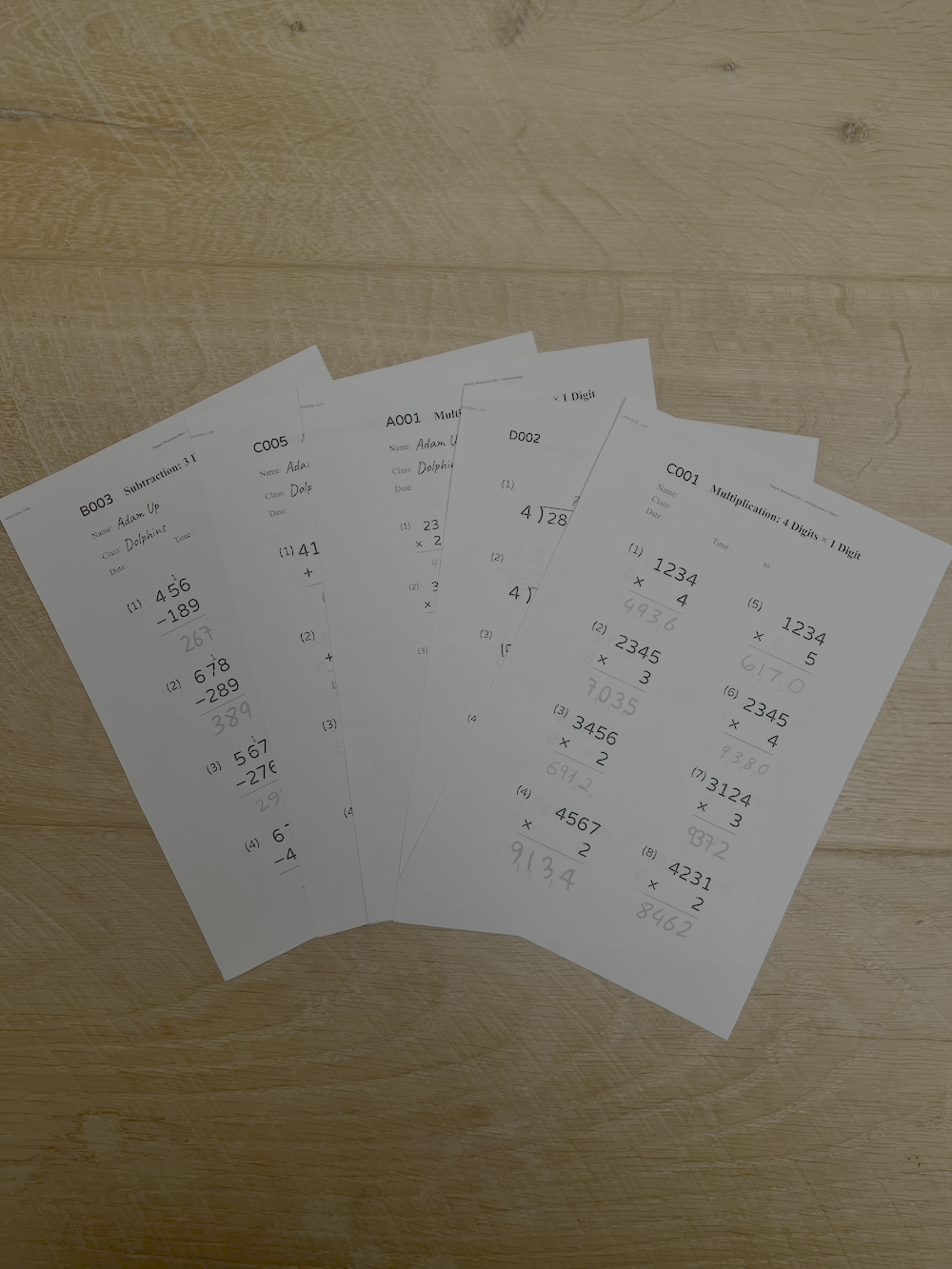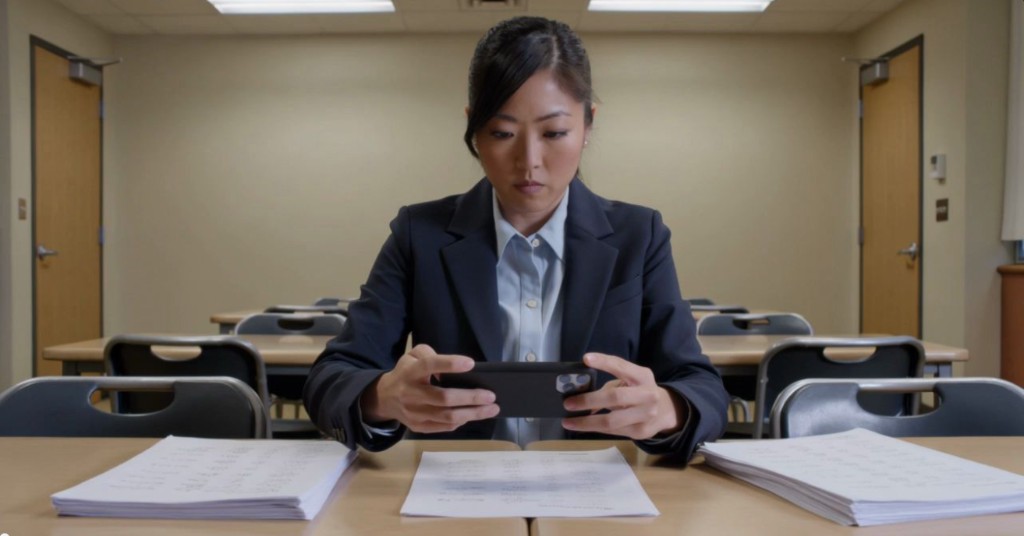
Five years ago, the idea of pointing your phone at a page of messy long division and getting back an accurate, question-by-question mark scheme felt like a tech demo, not a tool. Handwriting recognition existed, but it was built for adult print under good lighting. Student drill sheets squeezed into tiny squares — with crossings-out, carry marks, pencil smudges, and the occasional juice stain — were another problem entirely.
Today, that has changed. Vision models have become dramatically better at messy handwriting, and the apps wrapped around them have stopped pretending a worksheet is a receipt. The result: 40 answers marked in seconds rather than 40 minutes. Centre managers and tutors who would never install a generic "AI tutor" in their rooms happily use a marking app, because the job it does is specific, observable, and reliably gives back four to six hours a week across a busy programme.
What actually changed
Three things came together — none of them was a single magic model release:
- General-purpose vision models learned to read pages, not just words. The same models that can describe a photograph can also work out where question numbers, workings and final answers live on a page, even when the page wasn't designed for machines to read.
- Handwriting datasets grew up. Reading a single digit was never the whole problem; the hard part was inferring what the student meant in context. Larger, more diverse training data means a
4that looks a bit like a9gets the right benefit of the doubt when the digits around it and the expected answer make the intent obvious. - On-device preprocessing caught up. Phones with powerful cameras today can deskew, enhance, and segment a photo of a worksheet in a few hundred milliseconds, before the image ever reaches a server. The best OCR in the world cannot recover from a blurry, skewed photo taken under fluorescent strip lighting at 7:30 pm.
None of these things on their own were dramatic. Together, they crossed a usefulness threshold. An app that gets 97–99% of primary-school maths answers right, consistently, in under 30 seconds per worksheet, solves a problem tutoring centres have in every room, every week.
Each maths booklet has around 40 questions. At 35 seconds a question, marking takes over 20 minutes per student, per sheet. Reducing that to under five minutes per sheet buys back the equivalent of a full tutor day each month across a medium-sized centre.
How modern maths OCR works
It helps to think of a good maths-marking app not as "one AI model" but as a short pipeline, where each stage has a specific job:
1. Detecting questions
Before anything can be "read", the app has to work out what counts as a question on the page — numbered blocks, workings, final answers, and margin doodles to ignore.
Modern object-detection models, fine-tuned on real drill sheets rather than clean PDFs, handle this surprisingly well — even when a question wraps across two columns or the photo is taken at a slight angle.
2. Reading handwriting
Once questions are isolated, each answer is recognised in context. The app already knows what the expected answer should look like. That turns an open-ended handwriting problem into a constrained one — and when it isn't confident, a good tool will tell you, not quietly guess.
3. Validating answers
Reading the handwriting is only half the job. The other half is deciding whether the answer is right — treating 0.5, ½, and 1/2 as equivalent where appropriate, and flagging method mistakes versus transcription slips.
Key takeaways
- Maths OCR is a short pipeline, not a single model: detect → read → validate.
- Context (the expected answer) is what turns messy handwriting into reliable marks.
- Good tools treat equivalent answers equivalently and surface uncertainty rather than hiding it.
Where it still struggles
It's easy to overclaim, so here's the honest picture of what modern maths OCR still gets wrong:
- Very young handwriting. Ages 4–6 are the hardest: digits vary in size and orientation. Expect to review flagged answers rather than trusting blindly.
- Heavy workings with no clear final answer. If a student shows every step but doesn't circle the result, some tools pick the wrong number as "the answer".
- Poor photos. Extreme glare, deep shadows, or a phone held at 45° — the app may misread even when the handwriting is fine.
- Non-standard notation. Different programmes use different conventions for remainders or decimal separators. Tools that let centre managers configure these once, per cohort, give much better results.
The right mental model: maths OCR today is a very competent marking assistant, not an infallible marker. The win is that the exceptions become the only thing a tutor has to look at.
See it on your centre's worksheets
Book a 15-minute demo and we'll walk through your drill sheet types and marking volume.
What to look for in a marking tool
If you're evaluating an OCR-based marking app for a tutoring centre or maths programme, the questions below tend to separate serious tools from novelties:
- Does it work with the worksheets you already use? Good tools don't force you to print their templates. They should read standard drill and booklet formats from the programmes you already run.
- Can tutors correct a result in seconds? If fixing a misread takes three taps, you'll use it. If it takes ten, you won't.
- Is there per-student and per-group progress tracking? Marking is most valuable when the data tells you what to revisit next week across rooms.
- How is student data treated? Worksheets contain identifiable information. Look for clear, minimal data retention and GDPR-ready processing.
- What happens when it's wrong? Serious tools expose their confidence and let you override. Tools that pretend to be certain create trust problems the first time they miss something.
The bottom line
The quiet story of edtech today is not the headline-grabbing chatbots. It's the unglamorous, specific tools that solve one problem very well. OCR-based maths marking is one of the clearest examples: a discrete, measurable task that used to eat hours every week for tutors and centre managers, now handled in the time it takes to make a cup of tea.
The technology isn't magic, and it isn't perfect. But it's well past the point where it's useful every single day in a busy centre — and that's the metric that actually matters.